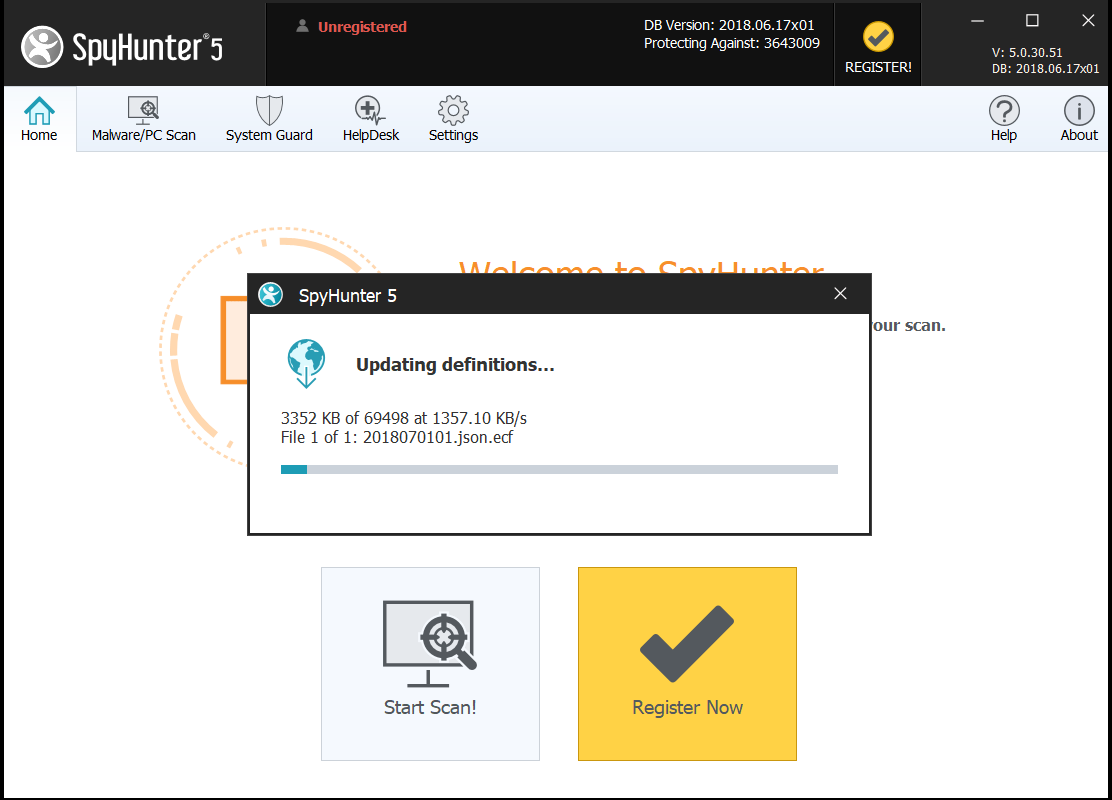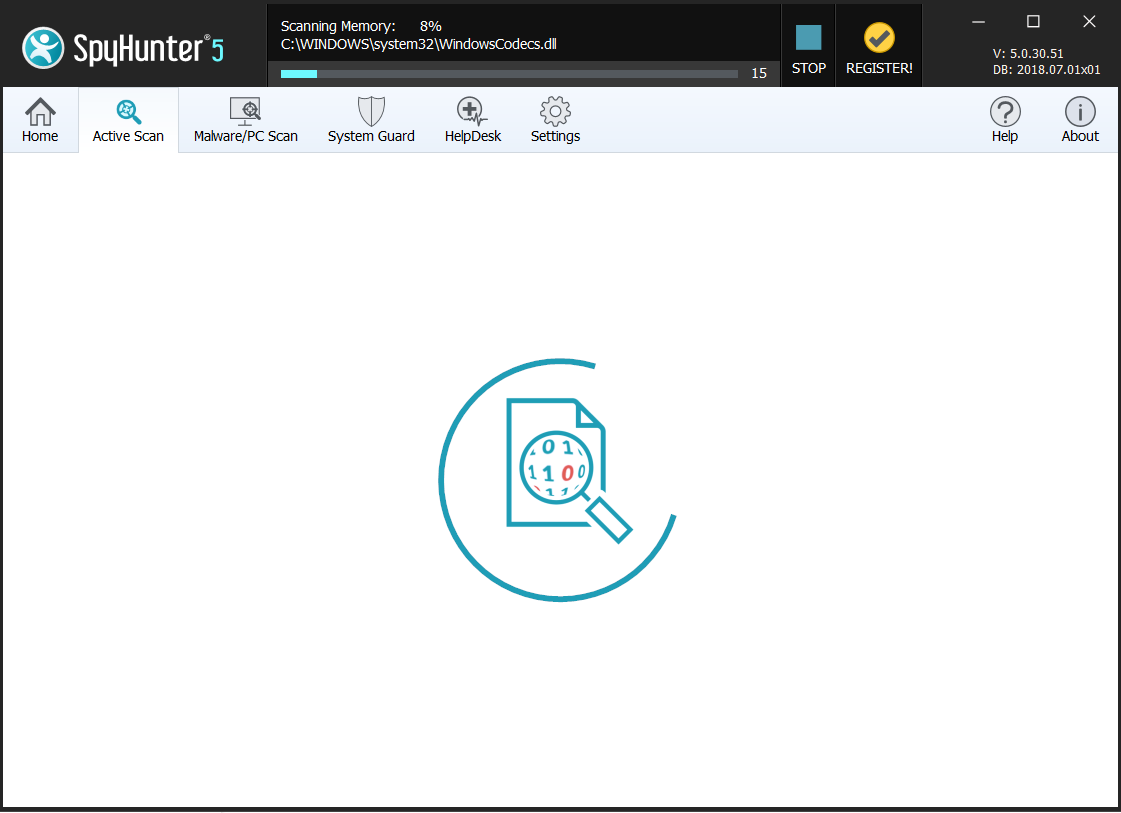
Do you see Easy Maps And Directions on your device? Act fast! Read this post to learn what are the dangers of it and how to safely get rid of it.
What Is Easy Maps And Directions?
Easy Maps And Directions is tied to a potentially unwanted program (PUP). This is a type of software that is not necessarily malicious, but may have undesirable and potentially dangerous effects on your computer. Easy Maps And Directions is ad-supported and could also act as a ブラウザハイジャッカー by changing your browser’s settings without your your knowledge or consent.These programs can be intrusive and can slow down computer performance, display unwanted advertisements, or redirect you to malicious websites.
さらに, such malware can compromise your online security or personal information.
| 脅威の名前 | Easy Maps And Directions |
| タイプ | Browser Redirect Alerts, PUP, Unsafe Domain |
| Removal Time | 9 Minutes |
| 検出+削除 | SpyHunterをダウンロードする (FREE Trial!)*
|
What Does Easy Maps And Directions Do?
Easy Maps And Directions is a threat mainly used to capture personal information from users and push ads for advertising revenue.It is compatible with the most commonly used browsers like Internet Explorer, GoogleのChromeとMozilla Firefoxの.
インストール時に, it is likely that it will alter your browser’s settings and change your default home page to its own.
Easy Maps And Directions may cause redirects to suspicious and scamming pages. Interacting with any of the content Easy Maps And Directions provides is not advisable, as it may expose you at various risks.
一度インストール, Easy Maps And Directions may start displaying advertisements and sponsored links in your search results, and may disturb your browsing habits. そして, それらの広告のいずれかをクリックして, あなたは再び危険にあなたのPCを公開します.
The worst part about this browser hijacker is that it uses tracking technology to monitor your browsing behaviour and record that information along with other personal information, such as usernames, 電子メール, 等.
This data may then be sold to third parties, such as advertising agencies, aiming to improve their targeting and display custom ads in accordance with your searches.
How to Remove Easy Maps And Directions?
In case you already have the Easy Maps And Directions detection on your computer, don’t worry as there is an easy way to remove it.
Follow the instructions below to install a trustworthy anti-malware program that will take care of the removal process for you. Manual instructions are also provided for tech-savvy users.
Preparation before removal of Easy Maps And Directions:
1.お使いのファイルのバックアップに確認してください.
2.この説明のページには、常にあなたが手順に従うことができるように開いているようにしてください.
3.除去には時間がかかることがあり、患者う.
ステップ 1: セーフモードでコンピュータを再起動します:
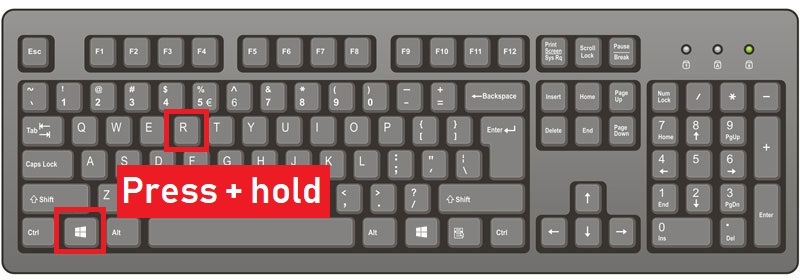
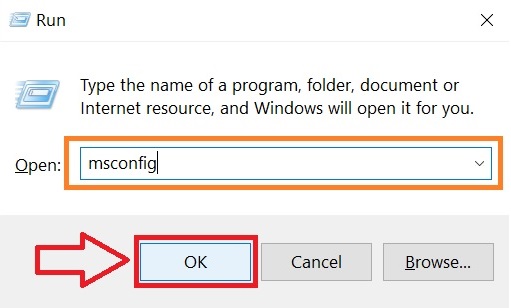
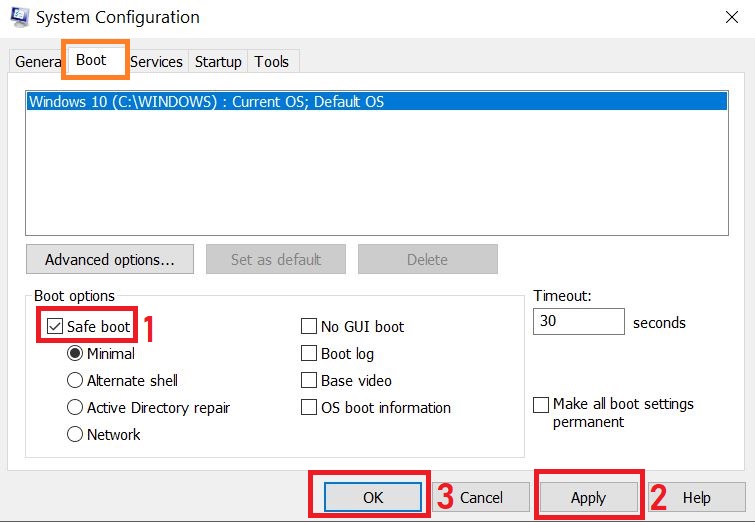
ステップ 2: Cut out Easy Maps And Directions in Task Manager
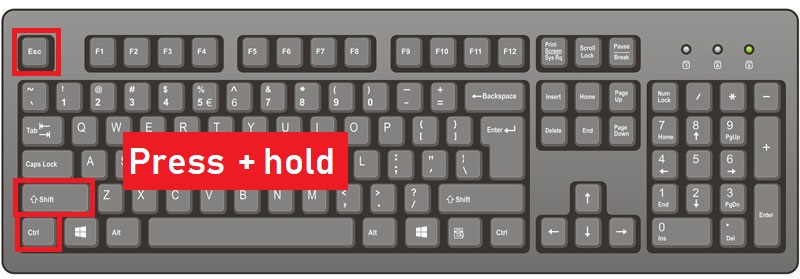
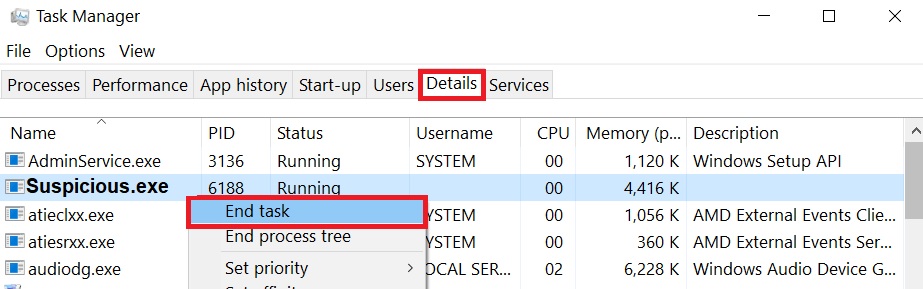
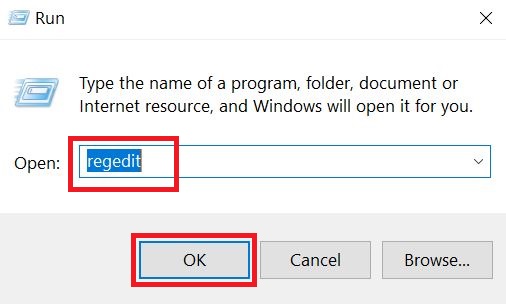
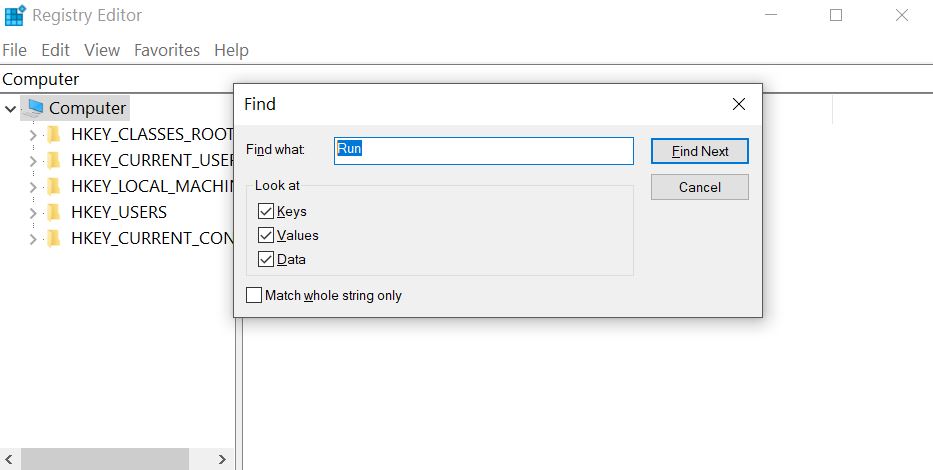
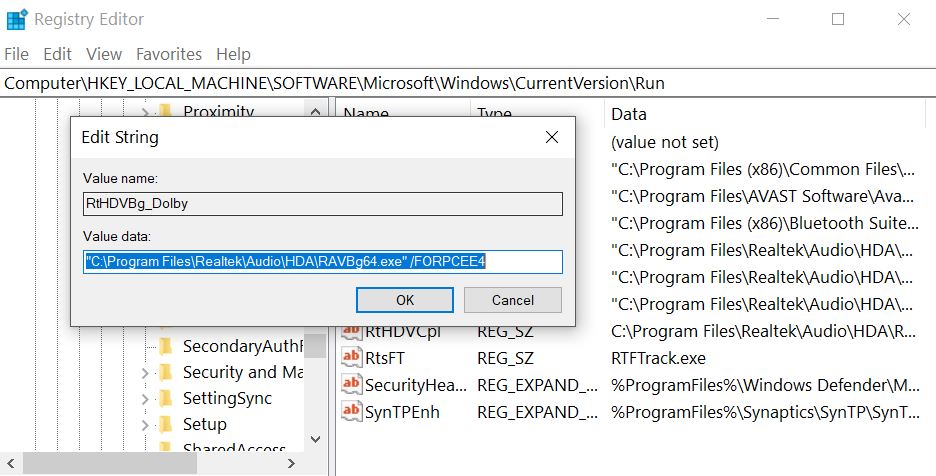
ステップ 3: Eliminate Easy Maps And Directions‘s Malicious Registries.
ほとんどのWindows変異体について:
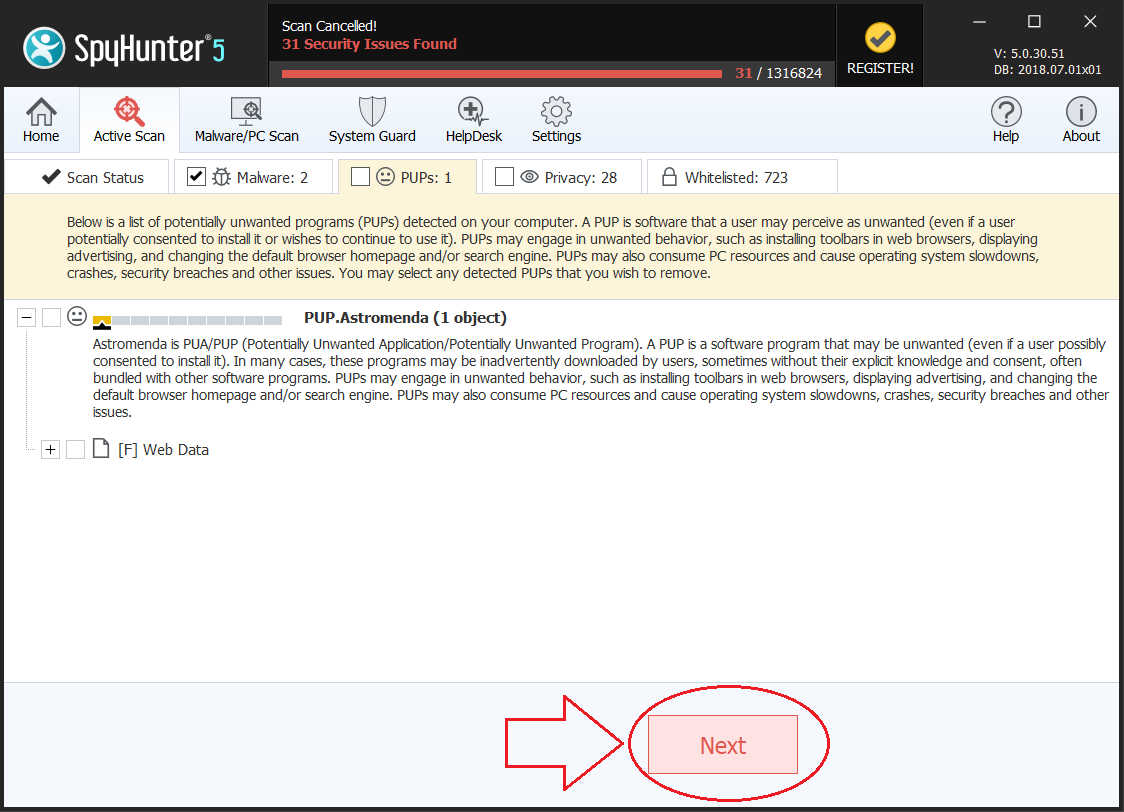
ステップ 4: すべてのウイルスファイルをスキャン, related to Easy Maps And Directions and secure your system.
あなたは、である場合 セーフモード, ノーマルモードにブートバック そして、以下の手順に従ってください
フルバージョンにコミットする前に無料スキャンを実行することをお勧めします. あなたはマルウェアがSpyHunter最初によって検出されたことを確認する必要があります.